
Table of Contents
CinematiX 35 Frame Build Manual
Introduction
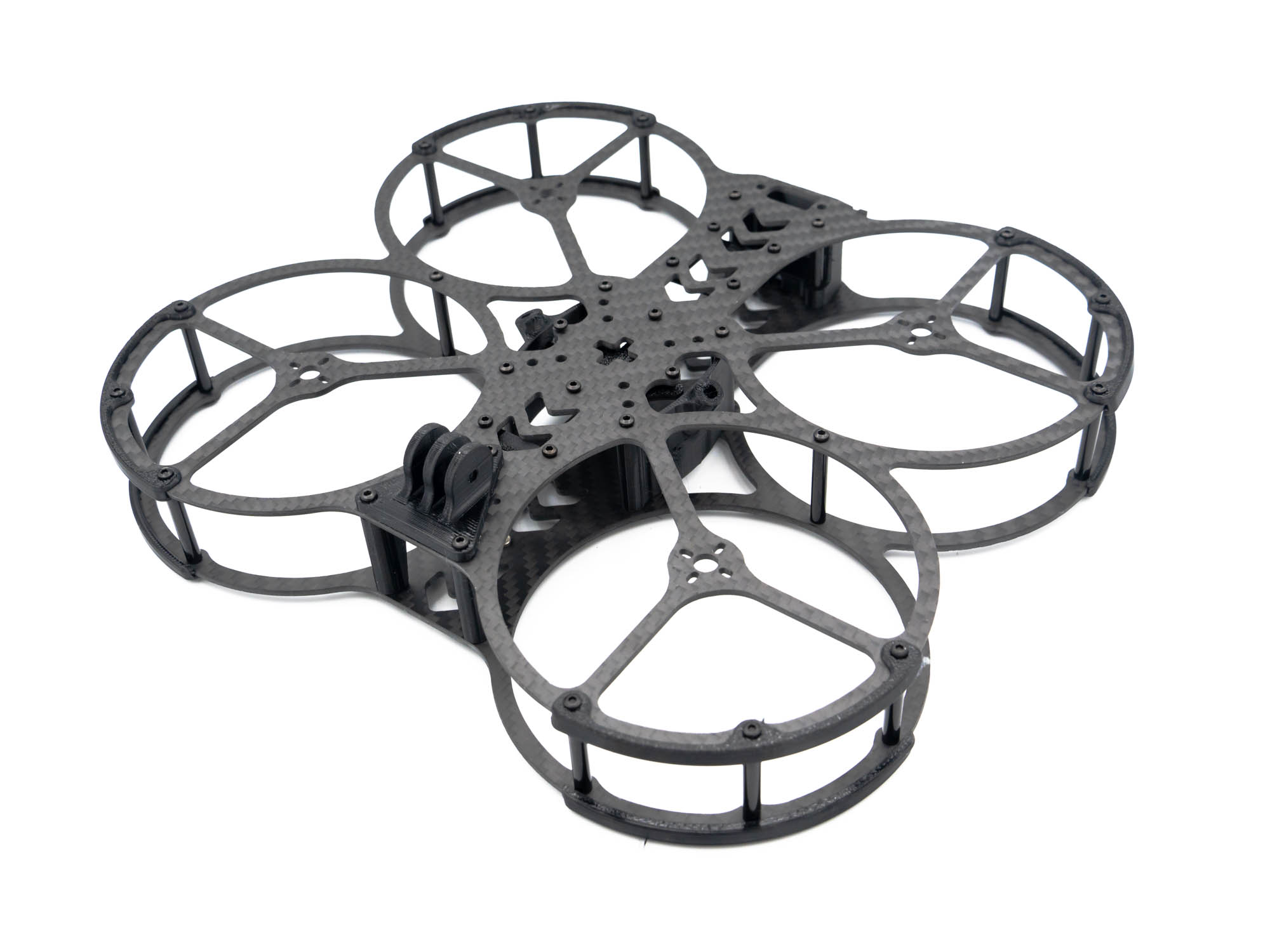 Welcome to the CinematiX 35 Frame Build Manual.
This guide will walk you through the complete assembly process step by step.
Welcome to the CinematiX 35 Frame Build Manual.
This guide will walk you through the complete assembly process step by step.
Note: The CinematiX 35 can be built in either Pusher configuration (motors facing down) or Puller configuration. In this manual, we are building the Pusher configuration, as it provides improved thrust and efficiency.
➡️ To build the Puller configuration, simply swap the top and bottom plates.
Step 1 – Top Plate
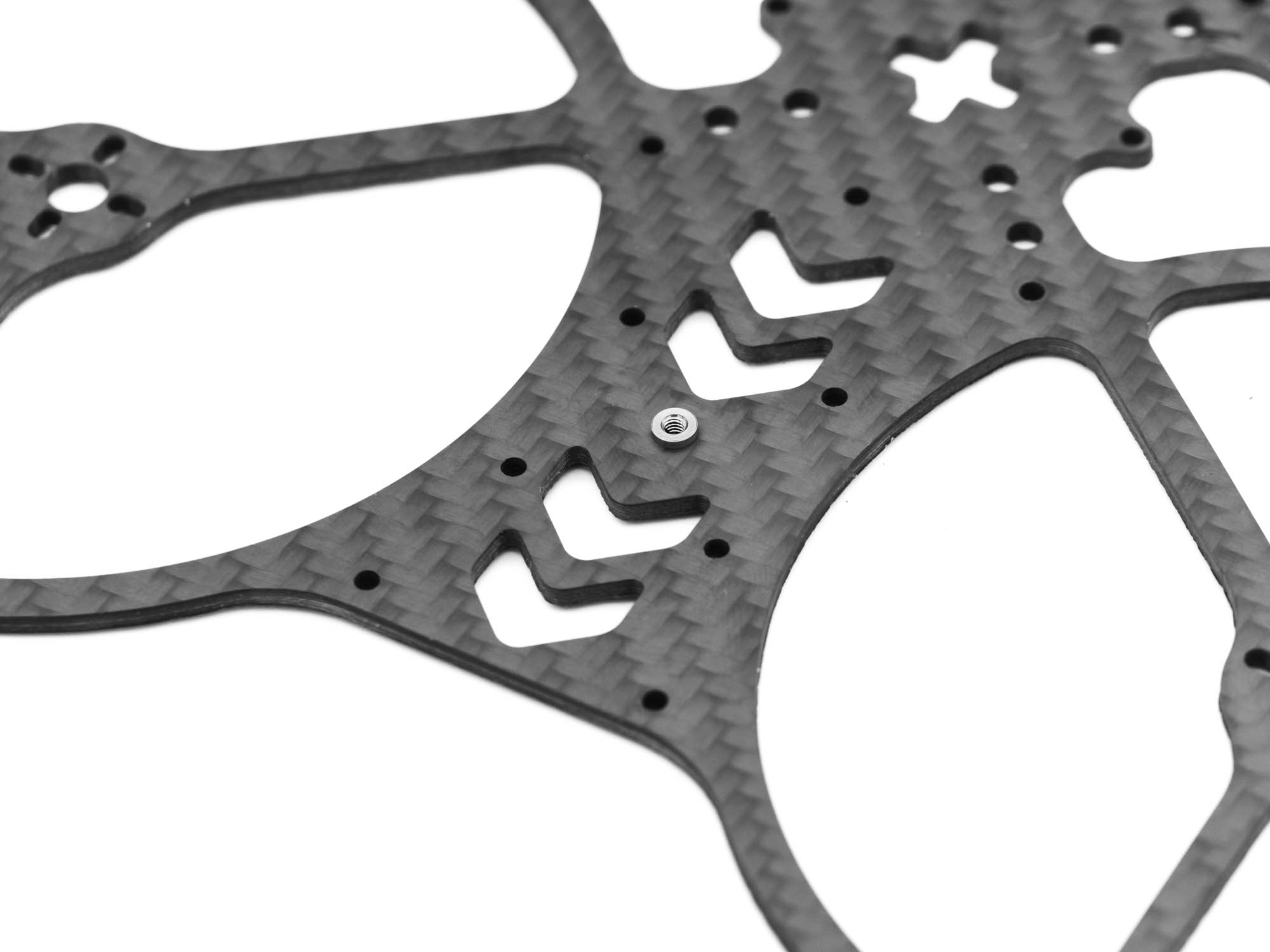
• Start with the top plate
• Ensure the threaded inserts are facing upward
Step 2 – TPU Capacitor Mount
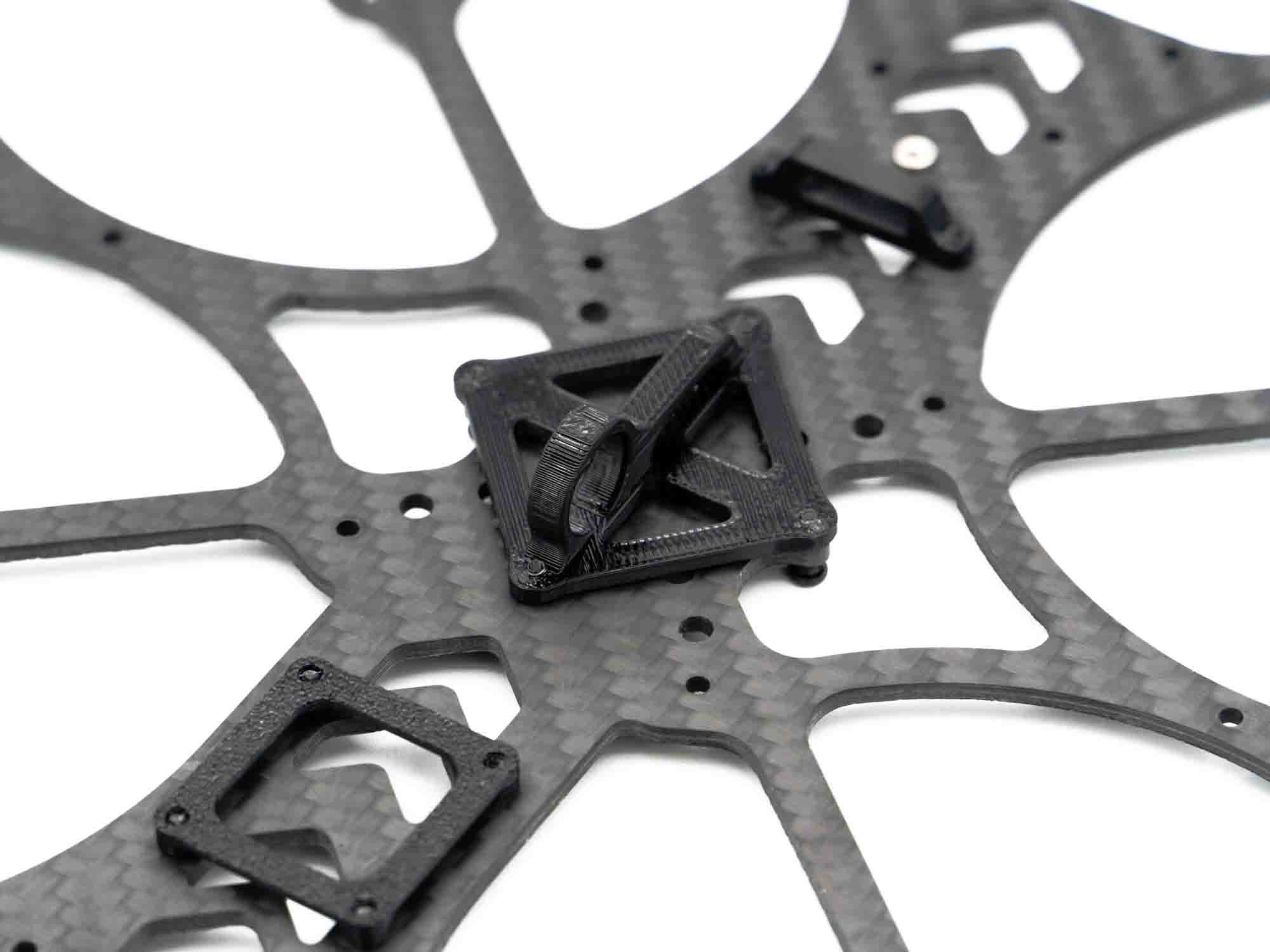
• Mount the AIO flight controller beneath the TPU capacitor mount
• Secure using M2x15 mm screws
Step 3 – TPU RX Mount
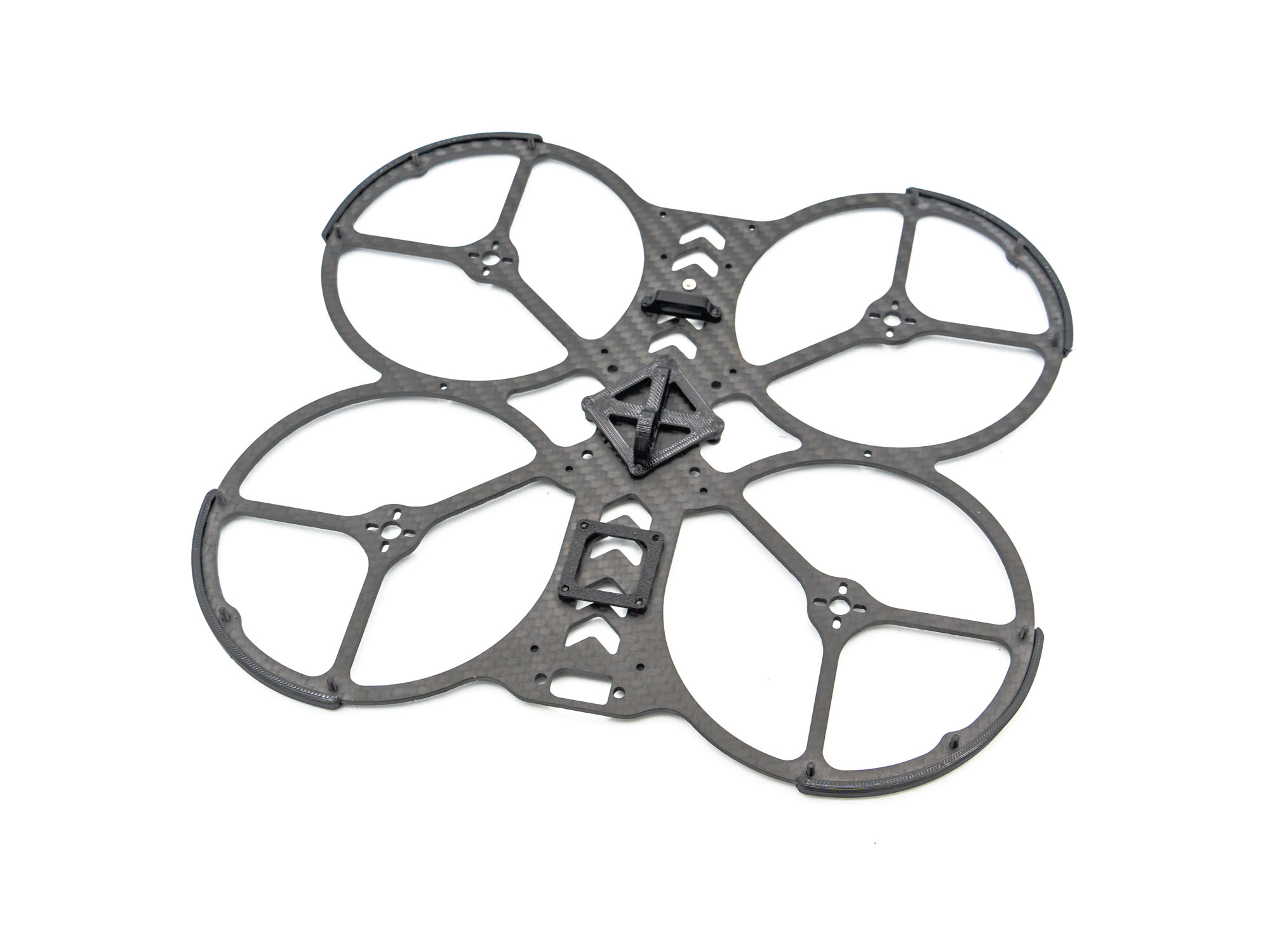
• Install the TPU RX mount
• Secure with M2x4 mm screws
Step 4 – TPU VTX Mount
• Install the TPU mount for your DJI VTX
• Secure using M2x6 mm screws
Step 5 – TPU Bumpers
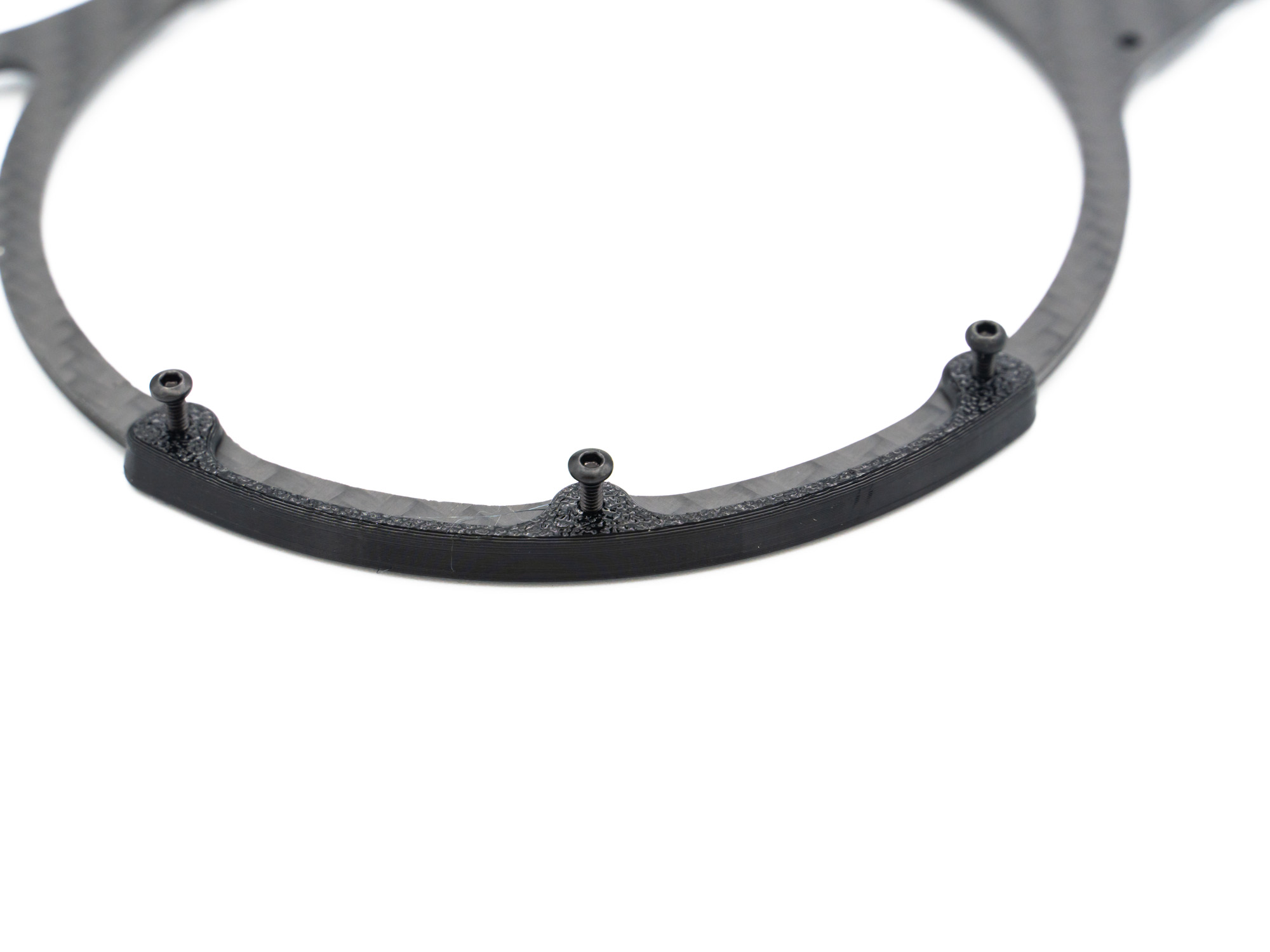
• Insert M2x8 mm screws through the TPU bumpers
• Mount the bumpers onto the prop guards as shown
Step 6 – Standoffs
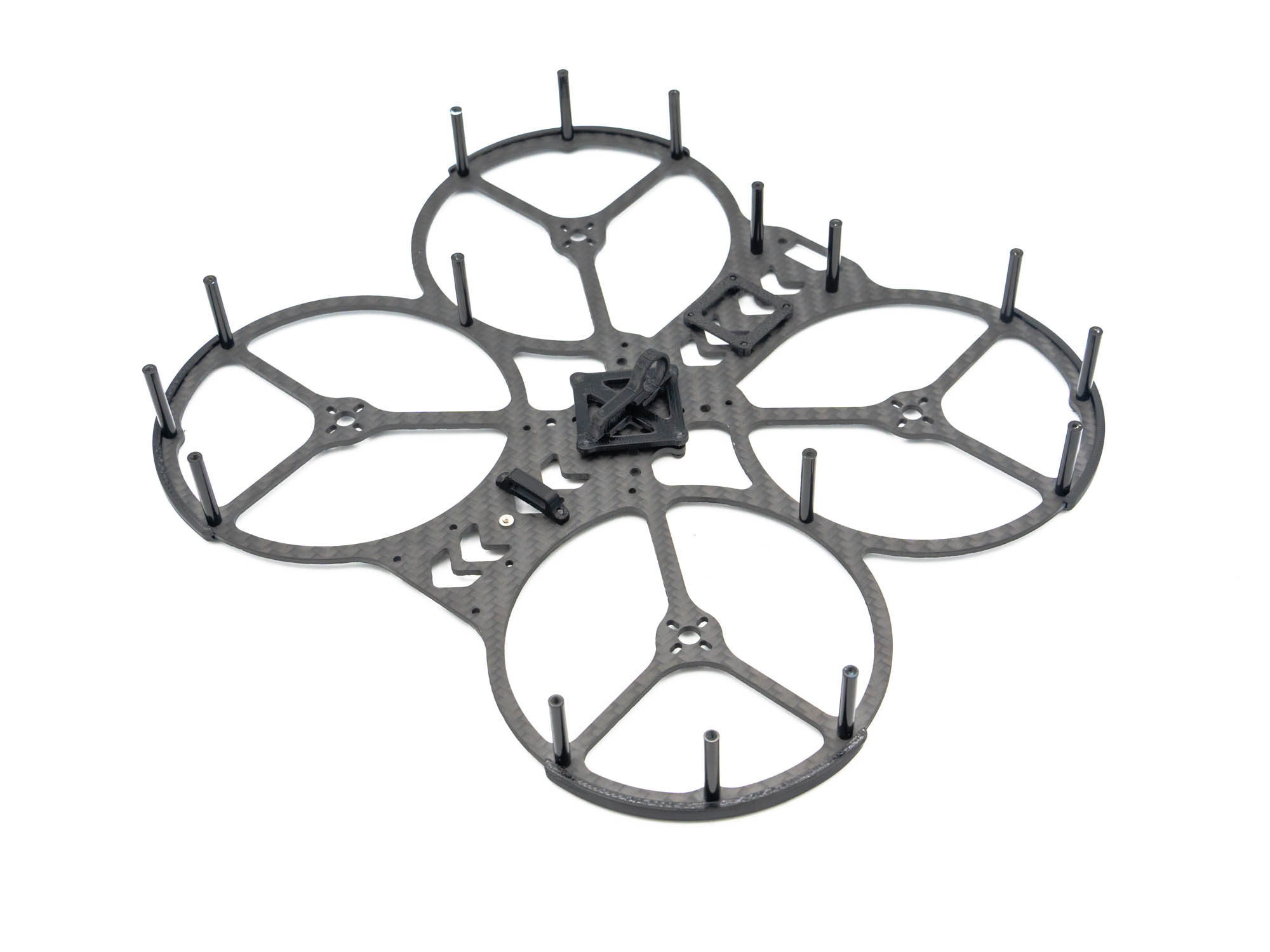
• Install M2x25 mm standoffs onto the exposed screws
• Add two additional standoffs using M2x6 mm screws: – Where the prop guards meet – At the rear of the top plate
• Follow the reference image carefully
Step 7 – TPU GoPro Mount
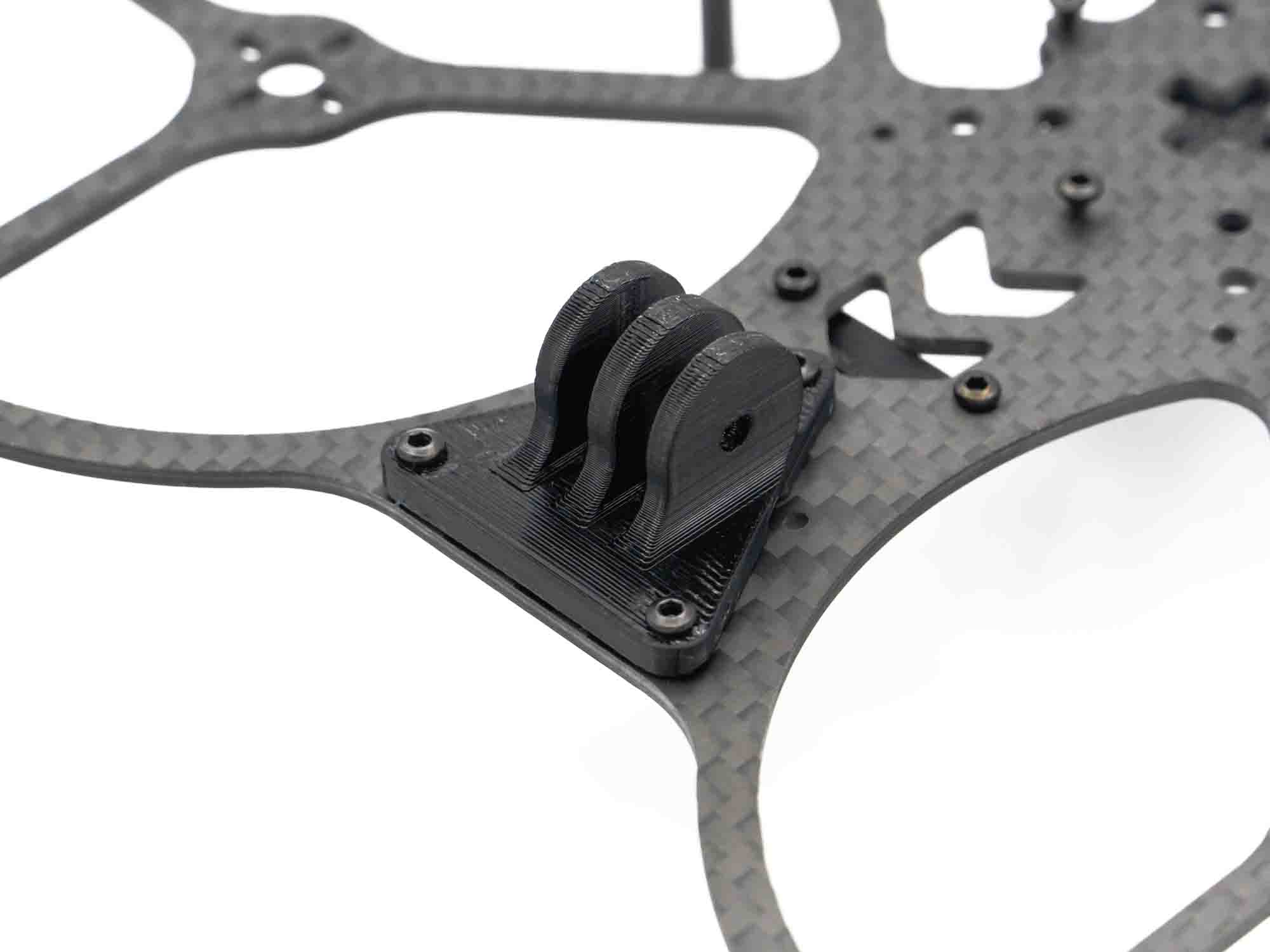
• Insert two M2x10 mm screws into the front holes of the TPU GoPro mount
• Install the mount on the frame
• Secure the rear (pointed side) with one M2x6 mm screw
Step 8 – TPU Camera Mount
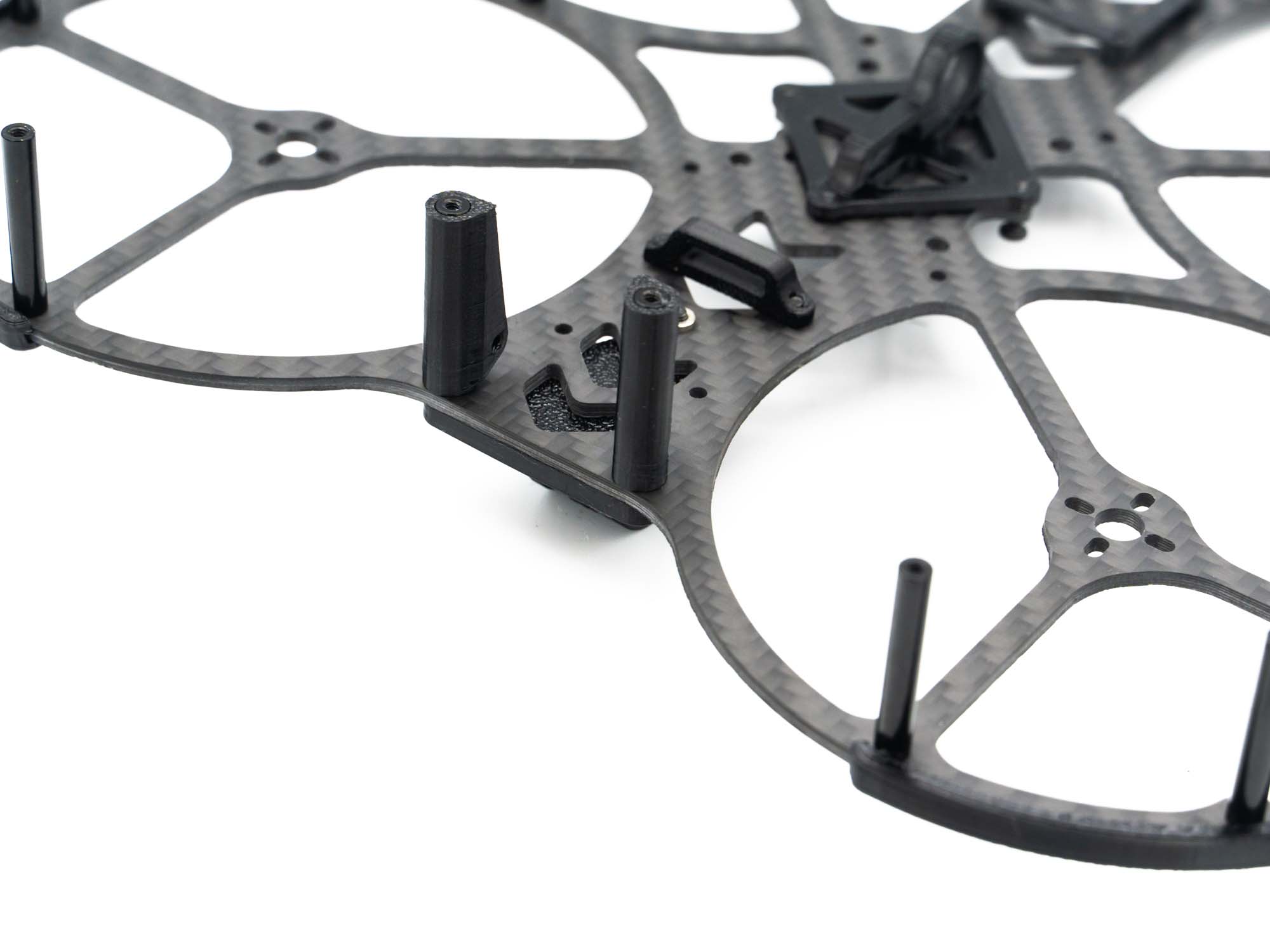
• Push the TPU camera mounts onto the front standoffs
• Ensure correct orientation as shown above
Step 9 – TPU RX Antenna Mount
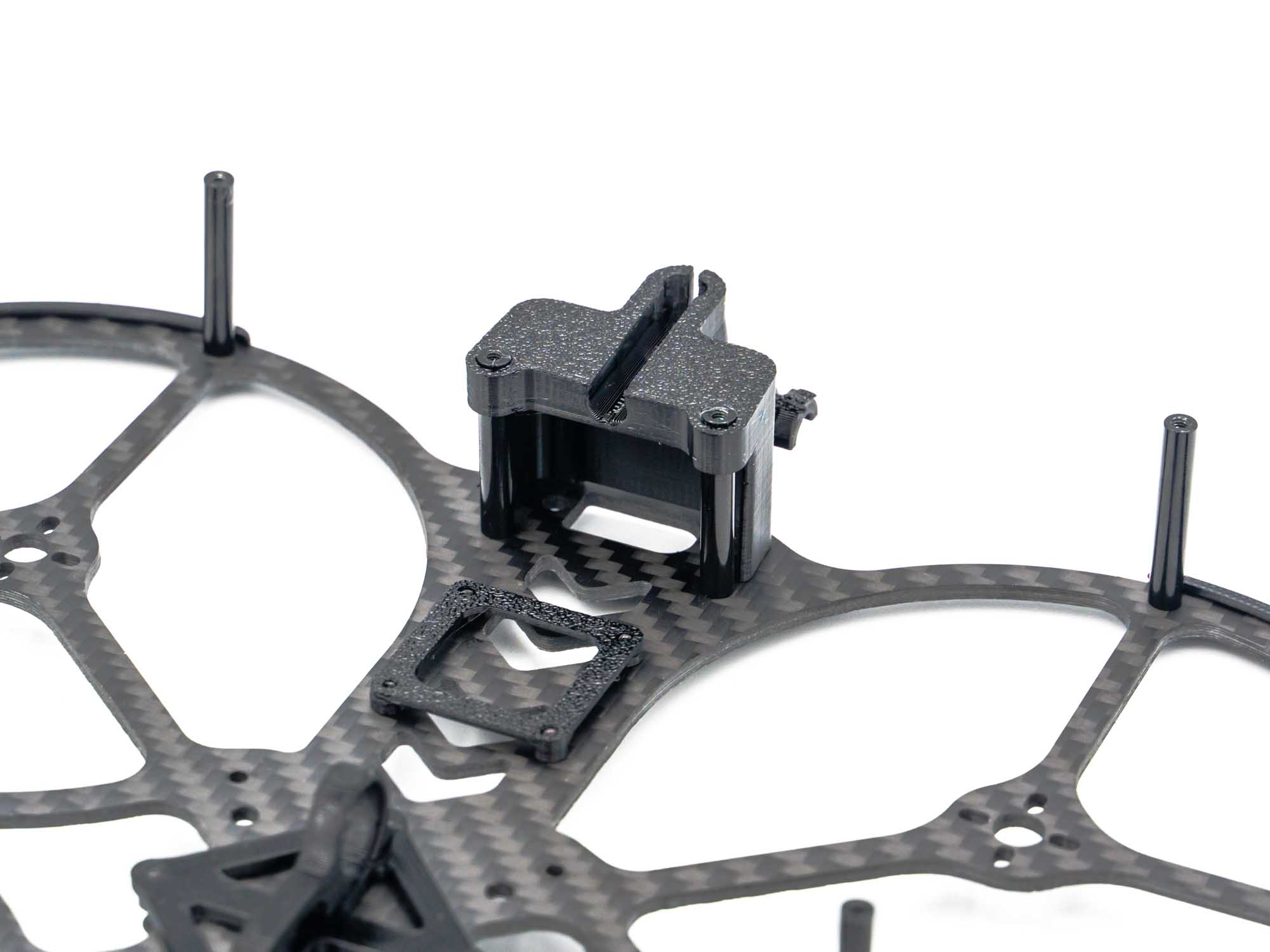
• Push the TPU RX antenna mount onto the rear standoffs
Step 10 – TPU VTX Antenna Mount & Side Covers
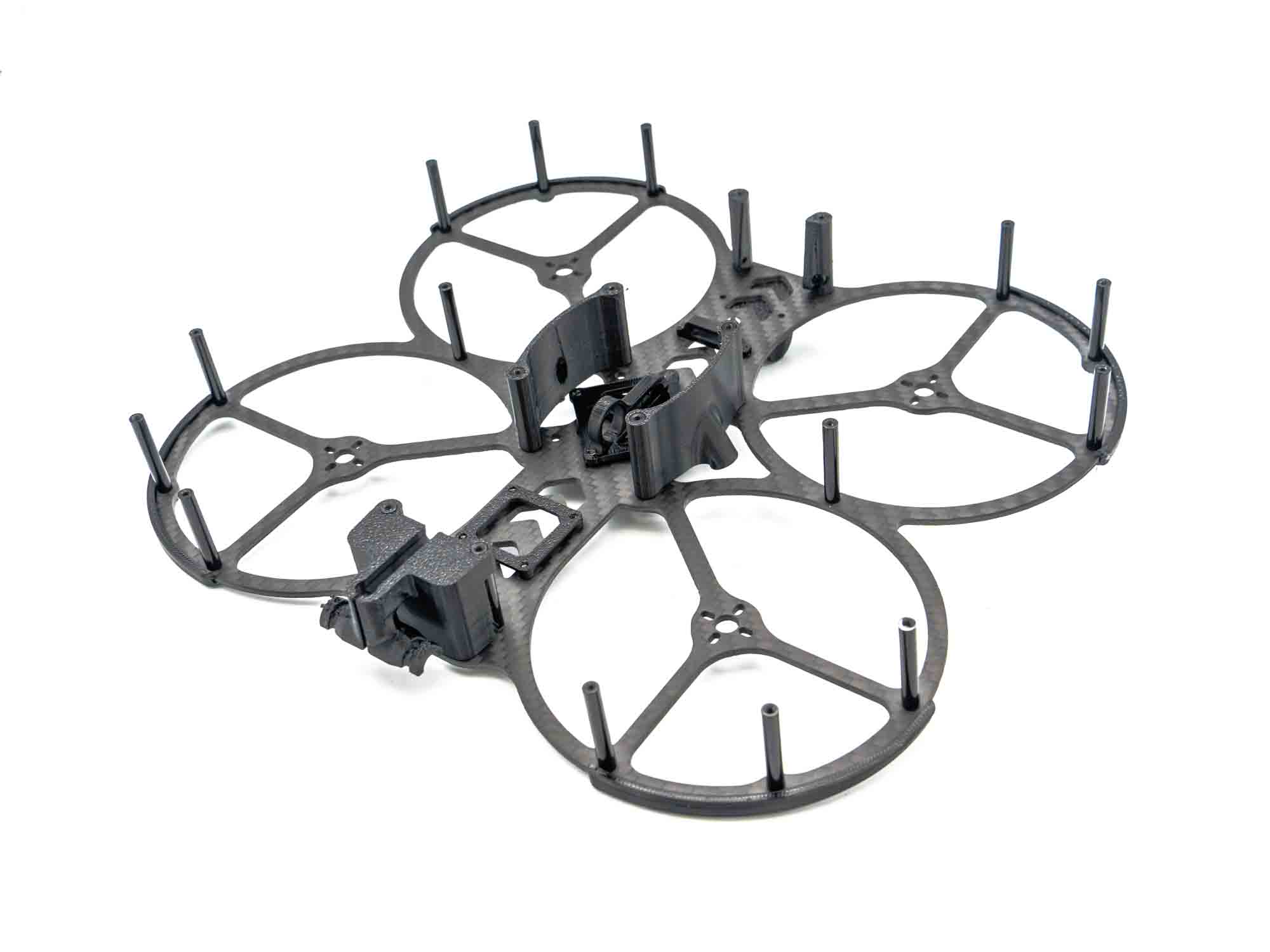
• Install four M2x25 mm standoffs using M2x6 mm screws
• Push the TPU side covers into place
• These side covers also retain the DJI VTX antenna
Step 11 – TPU Bumper Bottom Plate
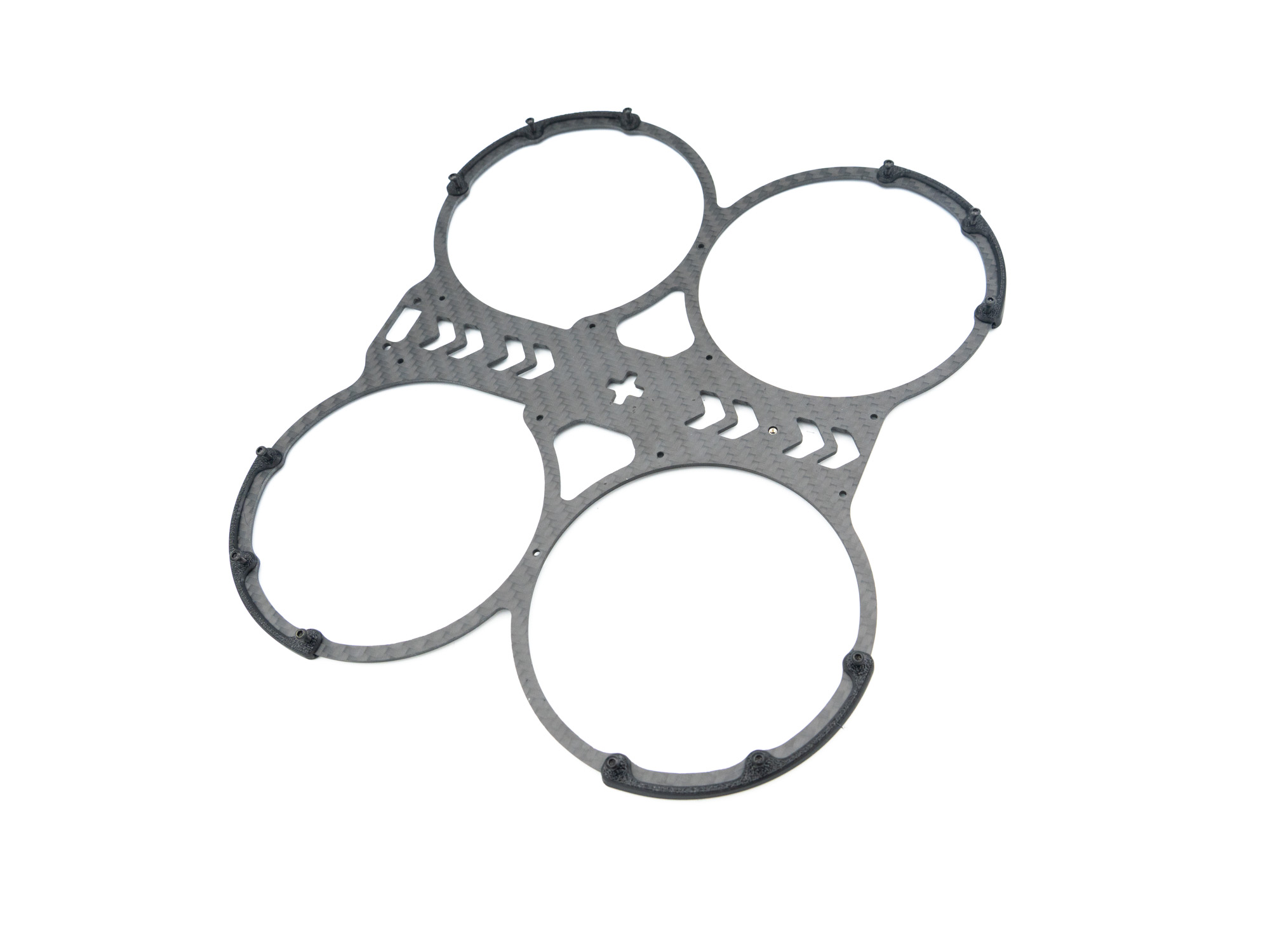
• Install the TPU bumpers on the bottom plate
• Use M2x8 mm screws, same as on the top plate
Step 12 – Frame Assembly
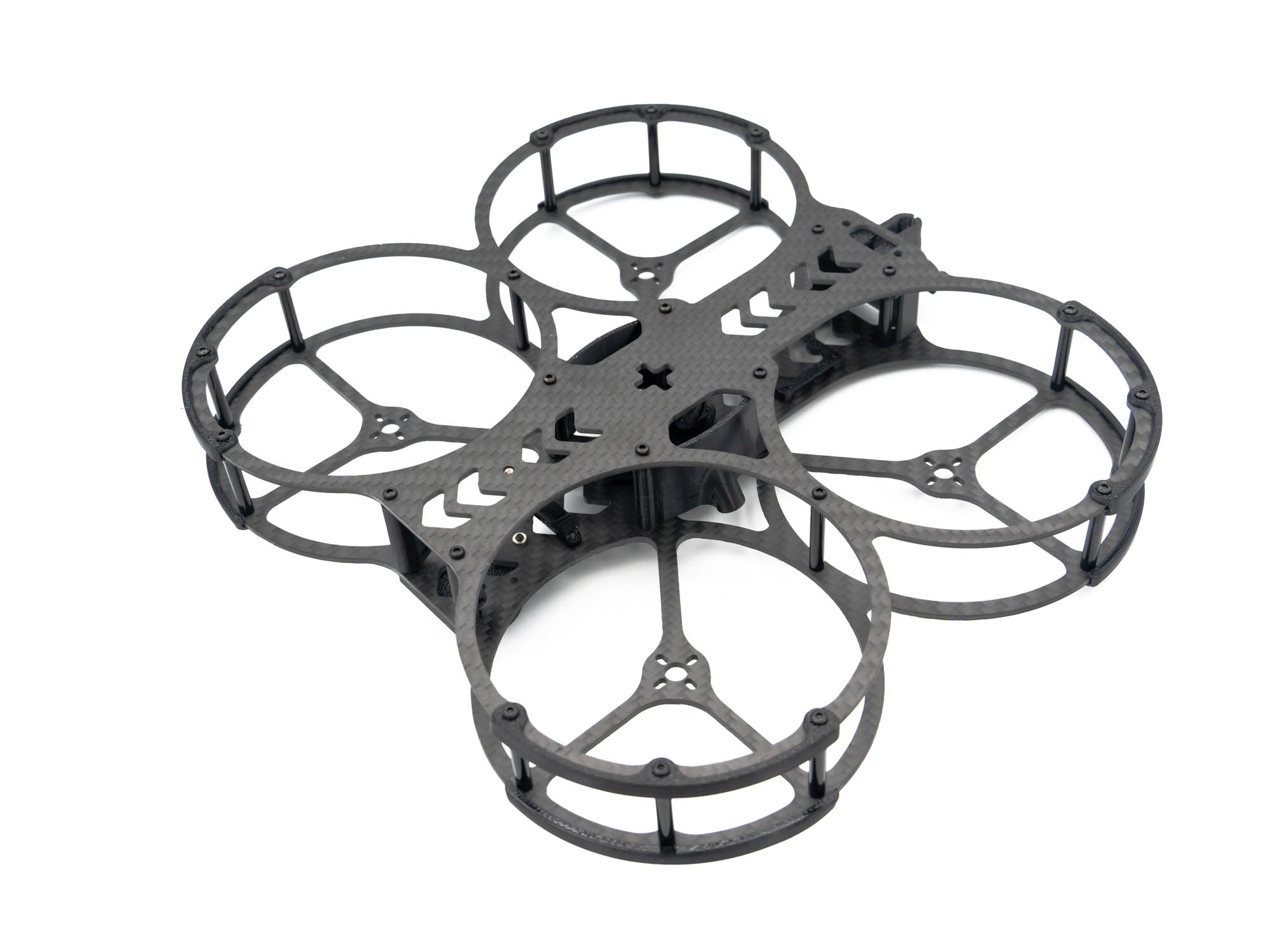
• Join both frame halves together
• Use: – M2x8 mm screws in the front and rear standoffs – M2x6 mm screws in the standoffs holding the TPU side covers
Finish
Flip the frame over — and voilà! Your CinematiX 35 Frame is now fully assembled and ready for electronics installation.